
Arduino Additional Boards Manager Package
To use Rogue Robotics boards with the Arduino IDE, you need to add a board package.
Here are the steps:
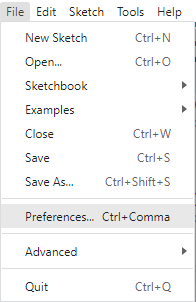
- Open
PreferencesunderFile:
- Locate the
Additional Boards Manager URLstext box and add this URL:
https://home.roguerobotics.com/rogue-board-package/package_roguerobotics_index.json


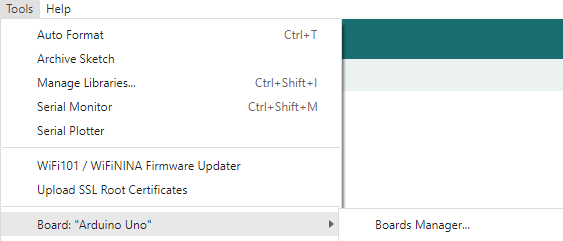
- Next, open the Boards Manager:
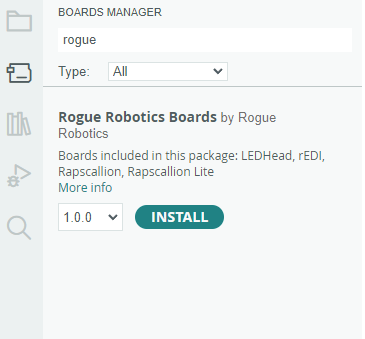
- Find and install the Rogue Robotics Boards package (Click on
Rogue Robotics Boardsto see theInstallbutton):
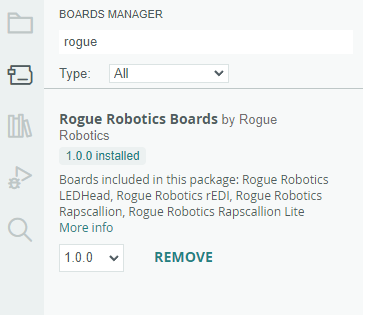
Now the Rogue Robotics boards will appear in the Tools -> Board menu:
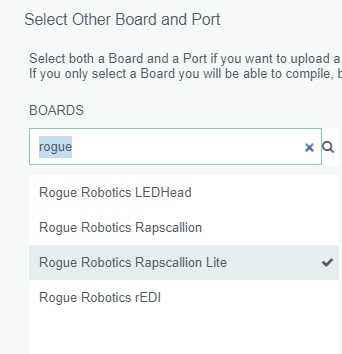
Select your board (Tools -> Board), select the port to which it is connected (Tools -> Port), then upload your sketch.